When facing common gaming PC issues, a methodical approach can help you troubleshoot and resolve them efficiently. From hardware checks to software updates and network optimizations, each step plays a crucial role in ensuring smooth gaming experiences. By mastering these troubleshooting techniques, you’ll be equipped to handle various issues that may arise, empowering you to enjoy uninterrupted gaming sessions.
Hardware Troubleshooting
If your gaming PC is experiencing hardware issues, start by checking all connections and components for any loose fittings or damage. Ensure that your power supply unit is properly connected to the motherboard, GPU, and other peripherals. Sometimes, a simple reseating of these connections can resolve issues related to power delivery.
Next, inspect your RAM modules to see if they’re securely in place. If you have multiple RAM sticks, try booting up your system with one stick at a time to identify any faulty modules. Additionally, check for any visible signs of damage on the RAM sticks, such as corrosion or physical defects.
Graphics card problems are common in gaming PCs. Remove the GPU from its slot, clean the contacts with a soft cloth, and reinsert it firmly. Make sure that the PCIe power connectors are correctly attached to the graphics card.
Software Optimization
To enhance your gaming experience on your PC, optimize your software for better performance and stability. Start by keeping your operating system and drivers up to date. Manufacturers frequently release updates to improve compatibility and performance, so regularly check for updates and install them promptly.
Additionally, consider disabling any unnecessary background processes and startup programs that may consume system resources. This can free up more resources for your games, leading to smoother gameplay.
Another crucial aspect of software optimization is adjusting in-game settings. Lowering graphics settings such as resolution, shadows, and textures can significantly improve performance on less powerful hardware. Experiment with different settings to find the right balance between visual quality and performance. Furthermore, installing game patches and updates can address bugs and improve overall stability.
Lastly, consider using optimization software designed specifically for gaming PCs. These tools can help streamline system performance by removing junk files, optimizing settings, and managing resources more efficiently. By taking these steps, you can optimize your software for a better gaming experience.
Network Connectivity Fixes
For better online gaming experiences, ensure your network connectivity is optimized to prevent lags and disconnections. To start, always use a wired connection instead of Wi-Fi when gaming. Wired connections provide more stability and lower latency compared to wireless connections, reducing the chances of experiencing network issues mid-game.
If you must use Wi-Fi, ensure that your router is placed close to your gaming setup and away from potential sources of interference like other electronic devices or thick walls. Additionally, consider investing in a quality router with the latest standards (e.g., 802.11ac or 802.11ax) to improve your connection’s speed and reliability.
Regularly check for and install firmware updates for your router to ensure it’s operating at its best. These updates often include bug fixes and performance improvements that can positively impact your gaming experience. Lastly, if you’re still experiencing network issues, contact your internet service provider to troubleshoot any potential connection problems on their end.
Cooling System Maintenance
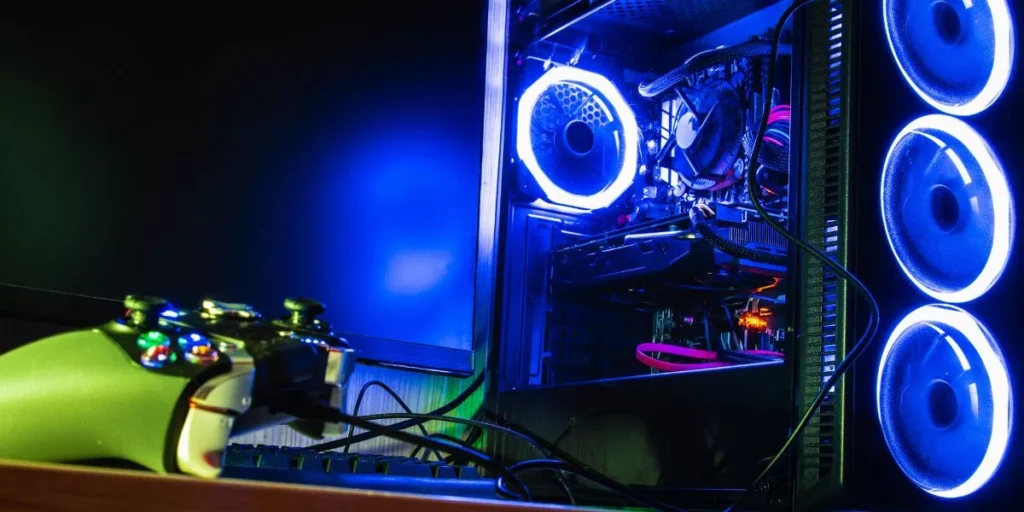
Ensure your gaming PC’s cooling system is regularly maintained to prevent overheating and maintain optimal performance. Dust and debris can accumulate in the fans and vents, hindering airflow and causing your system to overheat. To avoid this, periodically clean the fans and vents using compressed air to remove any buildup. Additionally, check for any obstructions around the PC that could block airflow and make sure the area is well-ventilated.
Monitoring your PC’s temperatures is essential in preventing overheating. Use software tools to keep track of the internal temperatures and ensure they stay within safe limits. If you notice temperatures consistently running high, it may be a sign that your cooling system needs attention.
Lastly, consider upgrading your cooling system if you frequently experience overheating issues, especially during intense gaming sessions. Upgrading to a more powerful CPU cooler or adding additional case fans can significantly improve heat dissipation and help maintain stable temperatures for optimal gaming performance. Regular maintenance and upgrades will help keep your gaming PC running smoothly and extend its lifespan.
Trending Products