When embarking on the journey of building your first gaming PC, you are stepping into a realm where customization, performance, and satisfaction intersect. As you carefully select each component and follow the steps to assemble your rig, the anticipation of firing up your creation for the first time might fuel your excitement. However, there’s a crucial aspect that often gets overlooked in the midst of this process – a factor that can significantly impact your overall experience with your new gaming setup.
Selecting the Right Components
When building your first gaming PC, ensure you select the right components that match your performance needs and budget. The key components you need to focus on are:
- The processor, often referred to as the CPU, is the brain of your PC, so make sure to choose one that can handle the demands of modern games.
- Your graphics card is crucial for rendering graphics smoothly, so invest in a quality GPU that fits your gaming requirements.
- The motherboard serves as the foundation where all your components connect, so pick one that’s compatible with your CPU and offers room for future upgrades.
- Adequate memory is essential for seamless multitasking and gaming performance, so opt for a sufficient amount of RAM.
- Additionally, consider your storage needs and choose between SSDs for speed or HDDs for affordability and higher capacities.
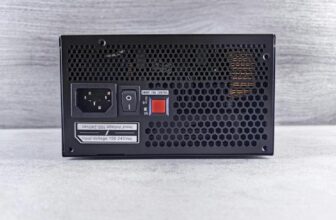
- Select a power supply unit that can support your components and opt for a reliable cooling system to prevent overheating and ensure optimal performance.
Building Your Gaming PC
To successfully build your gaming PC, start by gathering all the necessary components and tools in a well-lit and spacious work area. Lay out your motherboard on a flat surface and install the CPU, ensuring it aligns properly with the socket. Apply thermal paste and attach the CPU cooler, securing it in place according to the manufacturer’s instructions. Insert your RAM sticks into the corresponding slots on the motherboard, making sure they click into place.
Next, install the storage devices such as SSDs or HDDs into the drive bays. Connect the power supply unit (PSU) to the motherboard, CPU, GPU, and other components using the appropriate cables. Mount the GPU onto the motherboard and secure it with screws. Organize and tidy up the cables to improve airflow and aesthetics within the case.
Setting Up Your Gaming Rig
Start by connecting your gaming rig to a reliable power source before proceeding with any further setup steps. Once your PC is plugged in, press the power button to boot it up. You should see lights and fans starting to spin, indicating that your system is receiving power.
Next, make sure your monitor is connected to your graphics card or motherboard, depending on your setup. Connect your keyboard and mouse to the appropriate USB ports. If you have a wired internet connection, plug in the Ethernet cable.
Check that all necessary components are properly seated and secured inside the case. Ensure that all cables are neatly managed to avoid any potential hazards or obstructions to airflow.
Tips for a Successful Build
Once your components are all in place, ensure proper airflow within the case to prevent overheating during your gaming sessions. Position your fans strategically to create a smooth airflow path that carries hot air away from critical components like the CPU and GPU. Consider adding additional case fans or upgrading to more powerful ones for better heat dissipation.
When installing your CPU and GPU, apply the right amount of thermal paste to ensure optimal heat transfer between the components and their respective coolers. Too much or too little thermal paste can negatively affect the temperature regulation of your system.
Cable management is crucial for maintaining good airflow and keeping your build tidy. Organize your cables neatly, use cable ties or Velcro straps to secure them, and route them away from areas where they could obstruct airflow.
Lastly, regularly clean your PC to prevent dust buildup that can hamper cooling efficiency. Use compressed air to blow out dust from the fans, heatsinks, and other components to maintain optimal performance and temperature control during your gaming sessions.
Trending Products