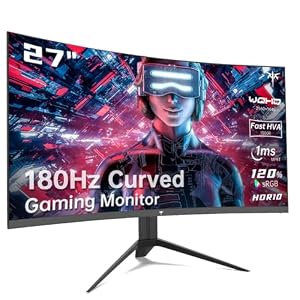
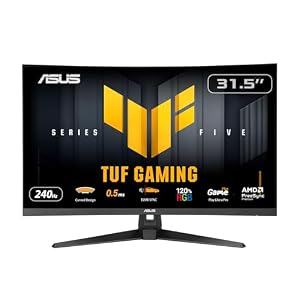
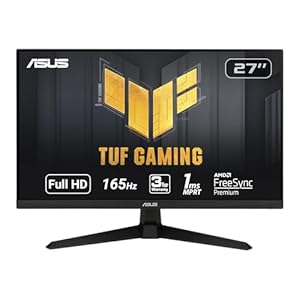
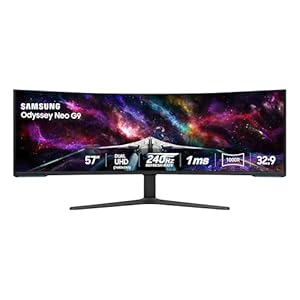
To keep your gaming monitor performing at its best, proper care is essential. From selecting the right cleaning materials to adopting safe techniques, these tips can make a significant difference. But there’s one crucial aspect often overlooked that can impact your gaming experience. Make sure to stay tuned to discover this often neglected but vital element in maintaining your gaming monitor’s peak performance.
Proper Cleaning Materials
To effectively clean your gaming monitor, ensure you have the appropriate materials on hand. Start by gathering a microfiber cloth, as it’s gentle and won’t scratch the screen. Avoid using paper towels or rough fabrics, as these can cause damage.
Next, prepare a solution of distilled water and white vinegar in equal parts. This homemade cleaning solution is safe for most monitors and helps remove smudges and dirt effectively.
Additionally, have some compressed air available to blow away any dust or debris from the monitor’s crevices. This will prevent particles from getting trapped during the cleaning process. Remember to power off your monitor before cleaning to avoid any electrical hazards.
Having these materials ready will ensure that you can clean your gaming monitor safely and effectively without causing any harm to the screen. Proper cleaning materials are essential for maintaining the quality of your monitor and ensuring a clear, crisp display for your gaming experience.
Safe Cleaning Techniques
Ensure your movements are gentle yet thorough when cleaning your gaming monitor to avoid causing any damage. Start by powering off the monitor and unplugging it from the electrical outlet. Use a microfiber cloth to gently wipe the screen in a circular motion, applying minimal pressure. Avoid using paper towels or rough fabrics that could scratch the monitor. For stubborn smudges or dirt, lightly dampen the cloth with distilled water or a mild monitor-specific cleaning solution. Never spray liquid directly onto the screen; instead, spray it onto the cloth before wiping.
When cleaning the monitor frame and stand, you can use a slightly damp cloth with a small amount of gentle detergent. Be cautious not to let any moisture seep into the monitor’s openings or edges, as this could lead to internal damage. Once you’ve cleaned all areas, ensure everything is completely dry before reconnecting and powering on the monitor. By following these safe cleaning techniques, you can maintain the longevity and performance of your gaming monitor.
Regular Maintenance Schedule
For optimal performance and longevity of your gaming monitor, establish a regular maintenance schedule. Setting a routine for maintenance tasks can help ensure that your monitor continues to deliver crisp visuals and smooth gameplay. Begin by dusting your monitor weekly with a microfiber cloth to prevent the accumulation of debris that could affect its performance. Additionally, consider using a gentle screen cleaner monthly to remove any smudges or fingerprints that may have built up over time.
Incorporate a quarterly inspection into your maintenance schedule to check for any loose cables, monitor wobbling, or unusual sounds. Tighten any loose connections and ensure that the monitor is securely positioned to prevent accidental damage. It’s also recommended to update your monitor’s firmware regularly to access the latest features and improvements.
Troubleshooting Common Issues
If your gaming monitor is experiencing issues, start by identifying the root cause before attempting any troubleshooting steps. Common problems include flickering screens, dead pixels, blurry images, or no display at all. Begin by checking the cables and connections. Ensure all cables are securely plugged in, and try using different cables to rule out any issues. If the problem persists, adjust the monitor settings such as brightness, contrast, or resolution. Sometimes, a simple adjustment can resolve display issues.
If you notice dead pixels on your screen, you can try using online tools or pixel-fixing software to revive them. However, if the pixels remain unresponsive, contacting the manufacturer for a warranty replacement may be necessary. Flickering screens could be caused by incompatible refresh rates or outdated graphics drivers. Update your graphics drivers and adjust the monitor’s refresh rate to see if the issue is resolved. If none of these solutions work, it might be time to consult a professional or the manufacturer for further assistance. Remember, always handle your monitor with care to prevent unnecessary damage during troubleshooting.
Trending Products