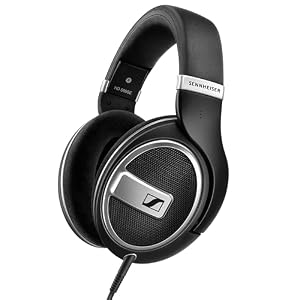
So, you’ve got your new gaming headset, but now comes the crucial part: connecting it to your console or PC. The process might seem straightforward, but there are nuances and tips that can elevate your gaming experience to the next level. From ensuring the right type of connection to troubleshooting potential issues, mastering this setup can significantly impact your gameplay. Let’s start by unraveling the mysteries of connecting your headset and unlocking its full potential with your gaming setup.
Choosing the Right Gaming Headset
When selecting a gaming headset, consider your budget, desired features, and compatibility with your gaming platform.
First, think about how much you’re willing to spend. Gaming headsets come in a wide range of prices, so it’s important to set a budget that works for you.
Next, consider the features that are essential for your gaming experience. Do you need noise-cancellation for a more immersive gameplay? Or maybe you prioritize comfort for long gaming sessions. Make a list of the features that matter most to you.
Compatibility is key when choosing a gaming headset. Ensure that the headset you pick works with your gaming platform, whether it’s a console or PC. Check for compatibility with your specific device to avoid any connectivity issues later on. Some headsets are designed for specific platforms, while others offer versatility across different systems.
Connecting to Your Console
Consider the type of connection your gaming headset requires when connecting to your console. Most gaming headsets connect to consoles through either a 3.5mm audio jack or USB port.
If your headset uses a 3.5mm audio jack, simply plug it into the headphone jack on your controller or console. This type of connection is common for wired headsets and provides both audio and microphone capabilities.
On the other hand, if your headset uses a USB connection, insert the USB plug into an available port on your console. USB connections are often found in wireless gaming headsets and offer a more stable connection with additional features like surround sound.
Some consoles may require specific adapters or settings to enable headset compatibility. Check your console’s user manual or online guides for any additional steps needed to connect your gaming headset successfully.
Once connected, adjust the audio settings on your console to ensure the headset is recognized and functioning correctly. With the proper connection and settings, you can enjoy immersive gaming audio while communicating with your friends online.
Setting up With Your PC
To set up your gaming headset with your PC, start by identifying the type of connection your headset requires. Most gaming headsets use either a 3.5mm audio jack or a USB connection. If your headset uses a 3.5mm audio jack, locate the corresponding audio ports on your PC. The green port is for audio output, while the pink one is for the microphone input. Insert the headset plug into the corresponding ports, ensuring a secure connection.
For headsets that use a USB connection, simply plug the USB connector into an available USB port on your PC. Your computer should automatically detect the headset and install the necessary drivers. Once connected, access your computer’s sound settings to ensure the headset is selected as the default audio input and output device.
Some gaming headsets also come with software that allows you to customize settings like equalizer presets, mic monitoring, and surround sound. Make sure to install any accompanying software to take full advantage of your headset’s features. With these steps, you should now be ready to enjoy an immersive gaming experience on your PC with your newly connected headset.
Troubleshooting Common Connection Issues
If your gaming headset is experiencing connectivity problems, check the physical connections first. Ensure that the headset is properly plugged into the correct ports on your console or PC. Sometimes, a loose connection can cause audio issues. Try unplugging and reinserting the headset to establish a secure connection.
Another common issue is incompatible ports. Verify that your gaming headset is compatible with the specific console or PC you’re using. Some headsets may require adapters for certain devices. Make sure you’re using the appropriate adapters if needed.
If you’re still facing problems, check for any software updates for your headset or console/PC. Outdated software can sometimes lead to connectivity issues. Updating to the latest firmware can often resolve these problems.
Lastly, if none of these steps work, consider trying your headset on a different device. This can help determine if the issue lies with the headset itself or the original console/PC. If the headset works on another device, the problem likely stems from the original connection setup.
Trending Products