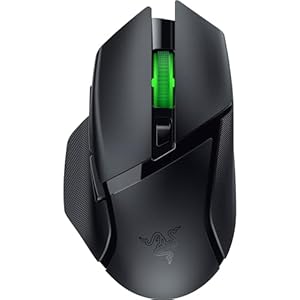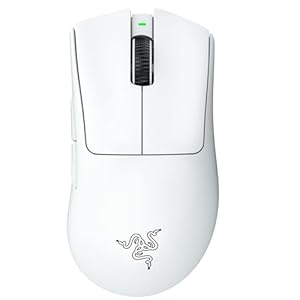
Adjusting your gaming mouse settings can significantly impact your performance in competitive play. From sensitivity tweaks for precise aiming to DPI adjustments for speed, finding the perfect balance is crucial. But that’s just the beginning; customizing button mappings and optimizing polling rates can take your gameplay to the next level. Stay tuned to discover the nuances of each setting and how they can give you an edge in your gaming endeavors.
Sensitivity Settings
Adjust your sensitivity settings to enhance your gaming experience. Finding the right sensitivity can significantly improve your gameplay by allowing you to aim more precisely and react faster to in-game situations.
Start by adjusting your mouse DPI (Dots Per Inch) setting to a level that feels comfortable for you. Lower DPI settings require you to move your mouse further physically, which can lead to more precise aiming, while higher DPI settings allow for quicker movements across the screen. Experiment with different DPI levels to find what works best for you.
Once you have set your DPI, fine-tune your in-game sensitivity settings. Lower sensitivity can be beneficial for games that require precise aiming, while higher sensitivity may be more suitable for fast-paced games that require quick reflexes. Strike a balance that allows you to navigate the game environment smoothly while also being able to aim accurately.
DPI Adjustment
To fine-tune your gaming mouse settings for optimal performance, consider making adjustments to your mouse’s DPI setting. DPI, or dots per inch, determines how sensitive your mouse is to movement. A higher DPI means your cursor will move farther with less physical movement, while a lower DPI requires more physical movement for the cursor to cover the same distance. Finding the right DPI setting is crucial for precision and control in games.
Start by experimenting with different DPI levels to see which one feels most comfortable for you. Many gaming mice have adjustable DPI settings that can be changed on the fly, allowing you to adapt to different gameplay situations quickly. In general, lower DPI settings are preferred for tasks requiring accuracy, like sniping in FPS games, while higher DPI settings are useful for fast-paced actions that require quick reflexes.
Remember that finding the ideal DPI setting is a personal preference, so take the time to test different options and see what works best for your gaming style.
Button Mapping
Consider customizing the button mapping on your gaming mouse to enhance your gameplay experience. Button mapping allows you to assign specific functions to different buttons on your mouse, giving you quicker access to essential controls. By mapping actions like reloading, crouching, or using special abilities to easily accessible buttons on your mouse, you can react faster in-game situations without having to reach for your keyboard.
To optimize your button mapping, start by identifying which actions you use most frequently during gameplay. Assign these actions to the primary buttons on your mouse for quick and intuitive access. For example, assigning the grenade throw or melee attack to a side button can streamline your combat movements. Experiment with different configurations to find what works best for your playstyle and comfort.
Remember to consider ergonomics when mapping buttons; ensure that the assigned functions are easy to reach and don’t strain your hand during extended gaming sessions. Customizing your button mapping can give you a competitive edge by improving your response time and overall efficiency in-game.
Polling Rate Optimization
Enhance your gaming experience by optimizing the polling rate of your mouse for improved responsiveness and precision. The polling rate refers to how often your mouse sends data to your computer, measured in Hertz (Hz). A higher polling rate means that the mouse’s position is updated more frequently, leading to smoother and more accurate cursor movements on-screen.
To optimize your mouse’s polling rate, access your mouse settings through the manufacturer’s software or your computer’s settings. Look for the polling rate option and adjust it to the highest setting supported by your mouse and computer. Most gaming mice offer polling rates of 500Hz or 1000Hz, which are ideal for competitive gaming due to their responsiveness.
Keep in mind that increasing the polling rate can slightly raise the CPU usage, although this impact is minimal on modern systems. Experiment with different polling rates to find the one that offers the best balance between responsiveness and system performance for your gaming setup. By fine-tuning your mouse’s polling rate, you can gain a competitive edge with improved accuracy and smoother cursor movements during gameplay.
Trending Products